
Show questions only when they apply
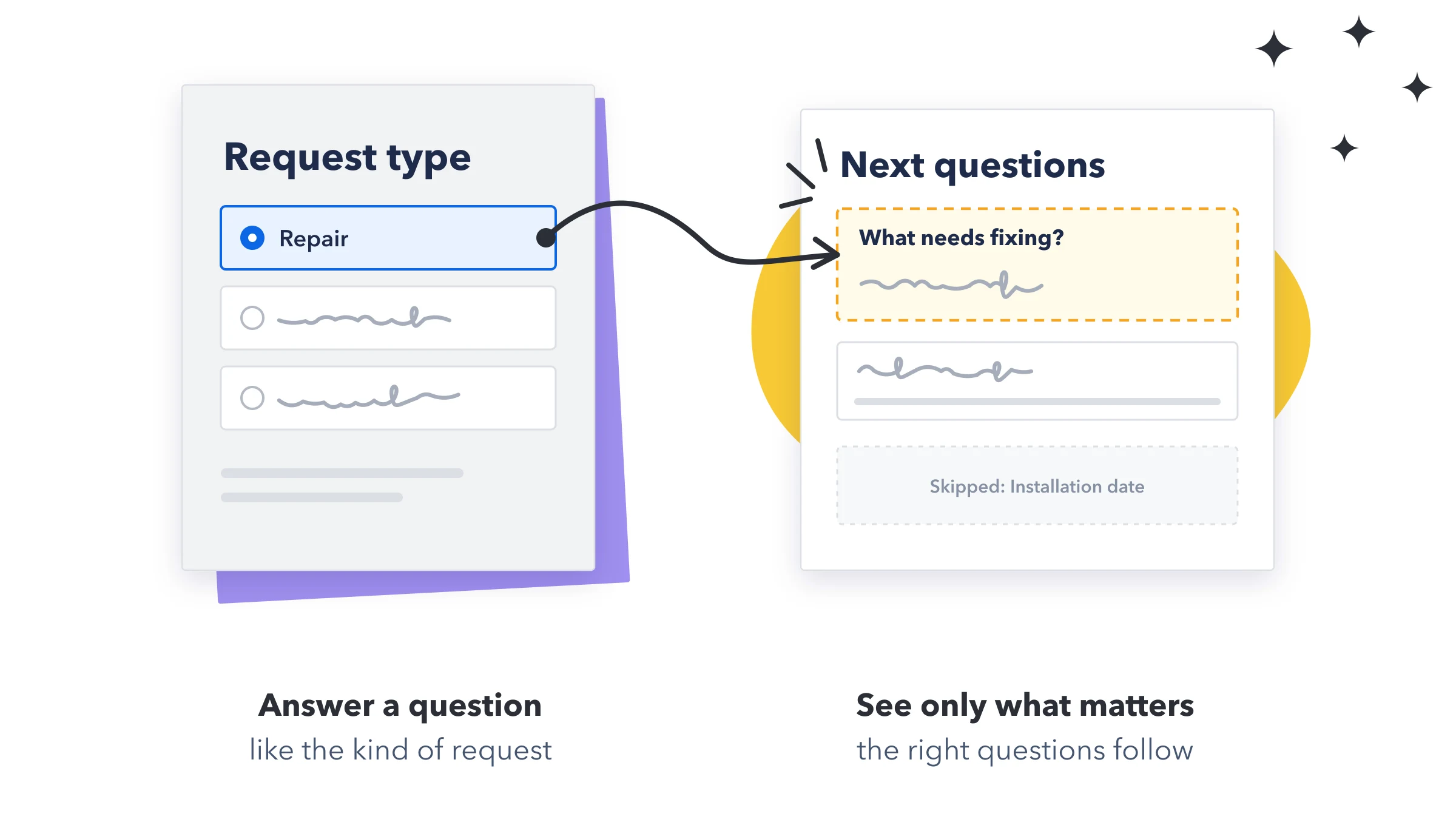
Rules keep the form short. Each person only sees the questions that apply to them. For example: ask for the site address only for repairs, ask for a budget only for new installations, and ask "Why so soon?" only when the date is in the next 3 days.
- Open the question: Click the question that should appear only sometimes.
- Add a condition: Under Show this question only when, press + Add condition.
- Choose the answer: Pick the question it depends on, then the check, then the answer. For example Request type · is · Repair.
- Add more if you need them: Press + Add condition again. Between two conditions, choose AND (all must be true) or OR (any one is enough).
The checks you can use
| When the question it depends on is… | You can check |
|---|---|
| Status | is, is not, is answered, is empty |
| Dropdown | includes, does not include, has at least N picked, is answered, is empty |
| Checkbox | is Ticked, is Not ticked |
| Number or Rating | equals, does not equal, is more than, is at least, is less than, is at most, is between, is answered, is empty |
| Date | is before, is after, is within the next N days, is answered, is empty |
| Text, Name, Email, Phone, Link, Update | is, is not, contains, does not contain, is answered, is empty. Capital letters are ignored. |
| People, Connect boards, Dependency | has at least N chosen, is answered, is empty |
Files, signatures, line items, formulas and mirrors can't be used in a rule.
Show something only for certain links
Press + Link parameter to show a question or block only when the form link includes a value. For example, send partners a link ending in &ref=partner, and add a block "Welcome, partner" with the condition ref · is · partner. Everyone else never sees it.
- The checks are is, is not, contains, is in the link and is not in the link. Capital letters in the value are ignored.
- Someone using an edit link sees what their original link showed.
- Anyone can change a link, so don't use this to hide anything private.
Show something once enough is answered
Press + Answered count and choose the questions to count: At least 3 of these questions are answered. Good for a final "Anything else we should know?" that only appears near the end.
Good to know
- Hidden questions are never required, and their answers aren't saved, even if they were filled in before being hidden.
- To every other rule, a hidden question counts as unanswered, and a hidden checkbox as not ticked.
- A question can have up to 20 conditions. A question can't depend on itself, or on a question that depends on it.
- The rules are checked again when the response arrives, so the board only ever gets answers to questions that were shown.
Skip whole pages
From page 2 on, a page can be skipped for people it doesn't apply to. For example, show the "Installation details" page only when the request type is New installation.
- Open the page: Click its tab, for example Page 2.
- Add a condition: The bar above the form says Page 2 is always shown. Press Add a condition.
- Set it up: Add conditions the same way as for a question, with AND or OR, then press Done. The bar now says, for example, Page 2 is shown only when 1 condition is met.
- A skipped page is left out of the step count, and Next goes straight past it.
- Every question on a skipped page is hidden, whatever its own rules say. If a question never appears, check the page it's on.
- A page's conditions can only use questions on earlier pages.
- Page tabs with conditions show a small branch icon.
Limit options based on another answer
Offer only some of a Status or Dropdown question's options, depending on another answer. For example: Plan Option A offers Type 1 and Type 2, and Option B offers only Type 3.
- Open the question whose options should change, for example Service type.
- Choose what it depends on: Under Limit options based on another answer, pick the question under Based on, for example Plan. It can be a Status, Dropdown or Checkbox question.
- Pick the options: There's a box for each answer, like When "Option A" is chosen, offer. Choose the options to offer. Leave it on All options to offer everything for that answer.
- One option left? It's picked for the respondent, with a short note: "Set to "Type 3", the only option when Plan is "Option B"."
- Changed their mind? If someone changes the earlier answer, choices that no longer fit are removed, with a note saying why.
- Several answers chosen on a Dropdown: anything one of them allows is offered.
- Order matters: put the question it depends on above this one, so people answer it first.
- The limit is checked again when the response arrives, so a wrong pair can't reach the board.
Options from another board
Turn a question into a dropdown whose choices come from a column on another board. For example, list your customers from a Customers board, then list only the sites of the customer that was chosen.
- Open the question and find Options from another board.
- Choose the board and column: Pick the Board, then the Column whose values become the choices.
- Narrow the list (optional): Under Only show options where, press Match an answer to keep only rows that match another answer on the form, or Fixed value to keep only rows with a set value, like Region is North.
- Until the answer it matches is given, respondents see "Answer "Customer" first".
- When there are several filters, all of them must match.
- It works on Name, Text, Long text, Number, Status, Dropdown, Email, Phone, Link, Rating and Date questions.
Check your rules in the Logic view
Above the form, switch from Form to Logic. You see every page and question in the order people meet them, with arrows from each answer to what it changes.
- The legend explains the arrows: Shows a question, Shows a page, Narrows options, Limits choices and Needs attention.
- Each box sums up its rules, like "Shown when "Request type" is Repair".
- Click a question to open its rules, or a page to change when it's shown.
- Turn on Only questions with rules to hide the rest.
- A red or yellow number on the Logic button means some rules need attention.
When something needs attention
MasterForms checks every rule and lists the ones that can't work as intended, each with a fix. Press Show to go straight to it.
| The message says | What to do |
|---|---|
| "…is on page 1 but follows … on page 2" | The question appears before people have given the answer it depends on. Move the question it depends on above it, or move this question to the later page. |
| "No answers can meet all of the conditions…" | It can never be shown. Its conditions contradict each other, or it's on a page that is never shown for the answer it needs. Check both, or switch AND to OR. |
| "…follows a question that is no longer on the form" | Remove the condition, or pick another question. |
| "…but … isn't one of its labels" / "the board no longer offers…" | A label was renamed or removed on the board. Pick one of the current labels. |
| "…which is read only, so this rule always gives the same result" | Turn off Read only on that question, or remove the condition. |
| "…is required and waits for…, which is only shown sometimes" | When that question is hidden, people can't finish. Make this question optional. |
| "One of the conditions … isn't finished" | Finish it, or remove it. Until then it's ignored. |