monday.com guide · 5 min read
By Arnav Ghatage, founder of Fortimus — we build Mirror Item Multiple Boards·Last updated
Can you mirror subitems in monday.com? Partly. Here’s the whole picture.
monday.com can mirror a subitem’s column values — into the parent, or from a connected board — but not the subitem itself. If you want the same subitem on a second board, editable from both sides, the native answer is no. This guide covers what works, where each method breaks, and the fix.
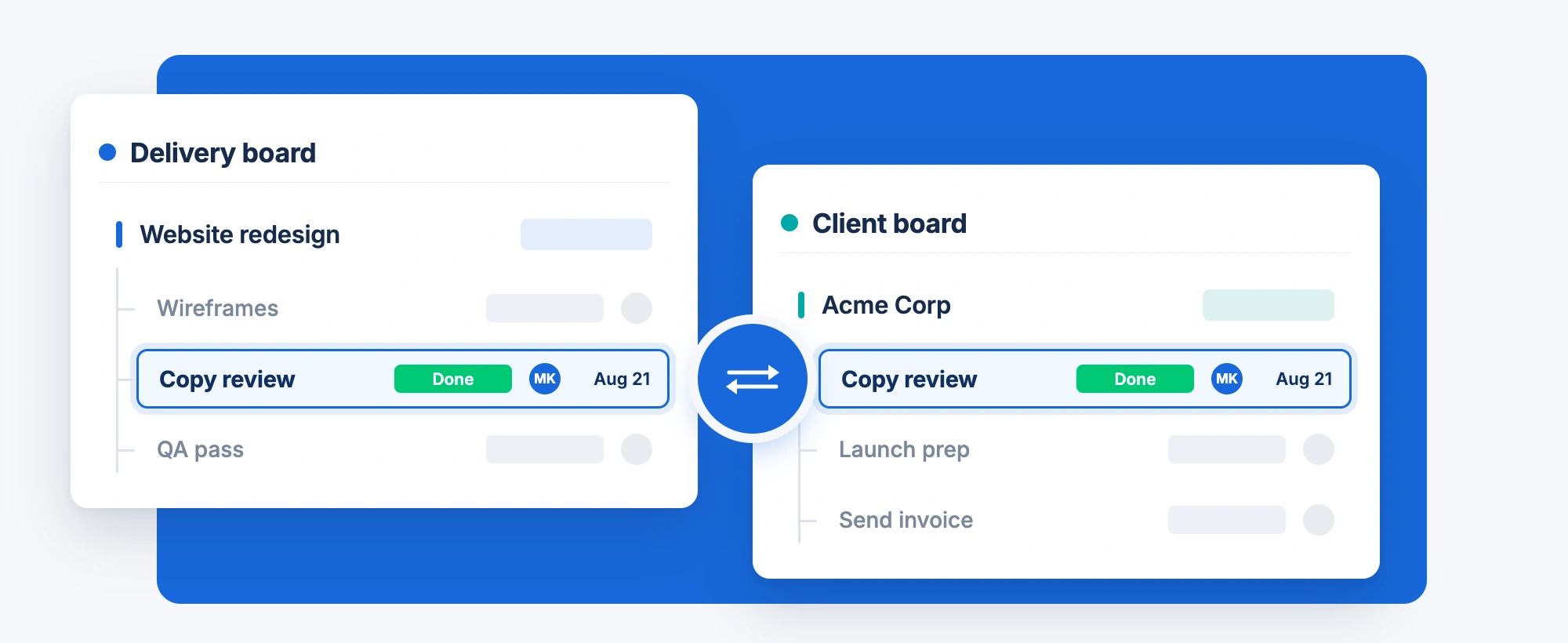
The short version: mirror columns show a subitem’s values on another board, without its updates, and most automations cannot trigger on them. To have the subitem itself live on two boards and sync both ways you need an app — that’s what Mirror Item Multiple Boards does, in any direction (subitem→subitem, subitem→item, item→subitem).
Start here
“Mirror subitems” means three different things
People searching this are usually asking one of three questions. Two have a native answer. The third — the one that fills the community forum — doesn’t.
Roll subitem values up to the parent
Total hours, earliest date, a status battery — an aggregate of the subitems shown on the parent row.
Read-only, same board only.
Show another board’s columns inside a subitem
A subitem tied to a client or asset record on another board, with that record’s fields visible next to it.
Connect Boards + Mirror column on the subitem board. Values only.
Make a subitem exist on a second board and sync both ways
The same subitem, live under a parent on Board A and Board B, editable from either side.
Mirror columns copy values, never the item.
What monday.com does natively
Three native methods, and where each one stops
Mirror subitem values into the parent
When to use it: You just want a rolled-up view on the parent row.
How: On the subitem column, choose Show summary on parent item. The parent row displays an aggregate of that column across its subitems.
Where it stops
- Read-only: you can’t edit the summary on the parent and push it down.
- Stays on the same board; never gets a subitem onto a different board.
- You see "3 Done, 2 Working", not each subitem as its own row elsewhere.
Mirror another board’s columns into a subitem
When to use it: Your subitem represents a task tied to a record on another board.
How: On the subitem board add a Connect Boards column, link the subitem to the item on the other board, then add a Mirror column for the fields you want.
Where it stops
- Mirror columns show values from the connected item; they do not bring its updates or subitems.
- Can only be re-mirrored two levels deep; Updates and item names can’t be mirrored at all (monday.com docs).
- Most automations can’t trigger off mirror-column changes.
- Every subitem is linked by hand, and the link breaks if the source item moves.
Duplicate the subitem with an automation
When to use it: You only need a one-time copy and don’t care if it drifts.
How: "When subitem is created → create item in board X", then map the columns.
Where it stops
- It’s a copy, not a mirror. Edit one and the other doesn’t move.
- Within a week there are two versions of the truth.
- Creates a top-level item on the target, not a subitem under a parent there.
Sources: monday.com’s own docs on the Mirror Column and Subitems. Deeper dive on the automation limit: Are monday.com mirror columns read-only?
The fix
Mirror the subitem itself, in any direction
If your real need is case 03 above, the answer is an app that shares the item across boards rather than copying values. Mirror Item Multiple Boards supports three distinct subitem shapes — here is what each one looks like.
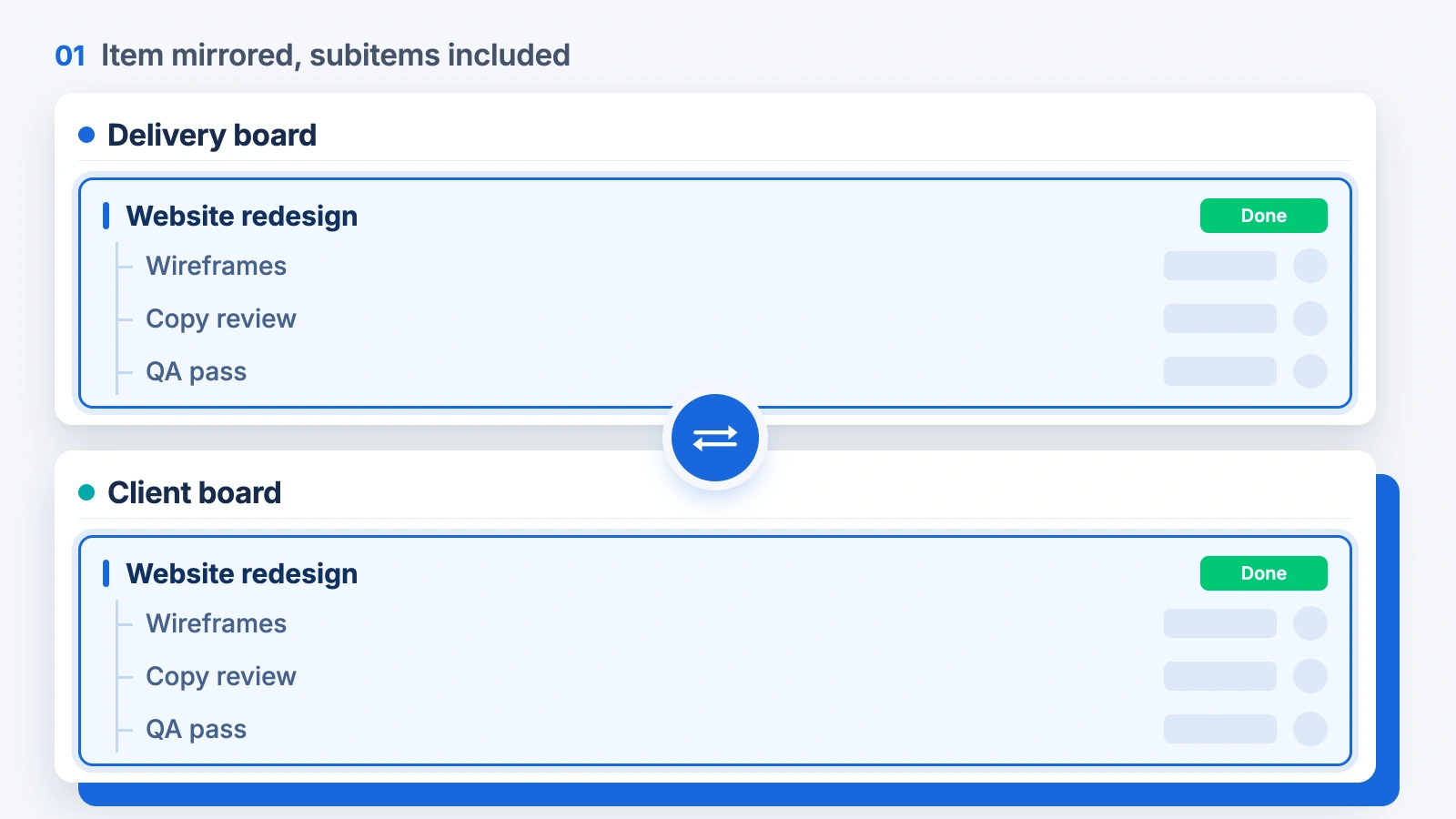
Mirror an item and bring its subitems along
Mirror a parent item to another board with Add Subitems switched on, and the whole task tree comes with it. Every subitem stays in sync on both boards — or leave subitems out per board if a team only needs the parent.
- Whole tree mirrored in one action
- Per-board choice to include or exclude subitems
- Parent–child structure preserved
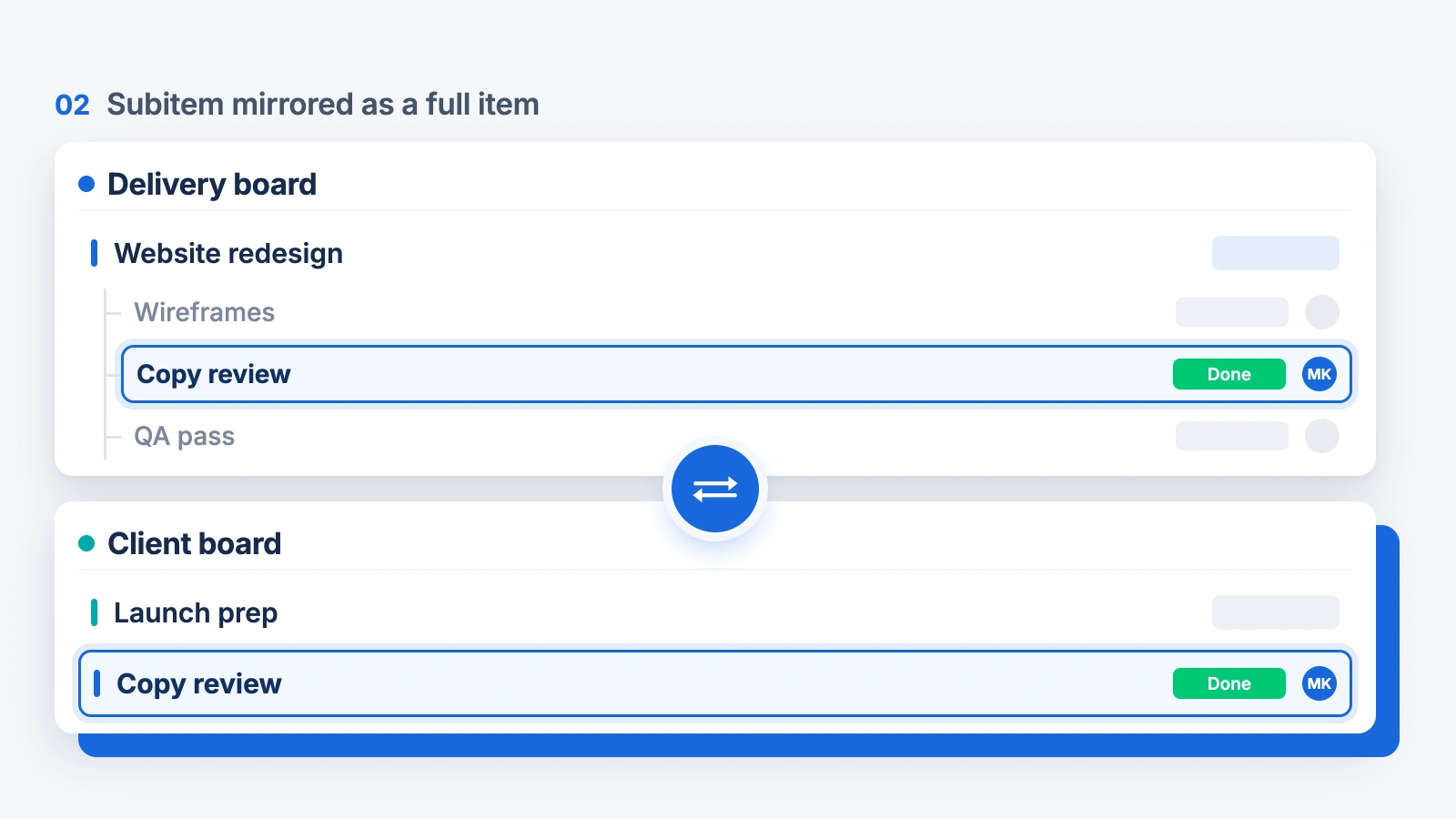
Mirror a subitem as a full item
Promote a single subitem to a top-level row on another board — useful for a master board where managers need the task as a row rather than buried under a parent. It works in reverse too: an item on one board can appear as a subitem on another.
- Subitem → item, and item → subitem
- Great for master and leadership boards
- Status, people, dates and updates sync both ways
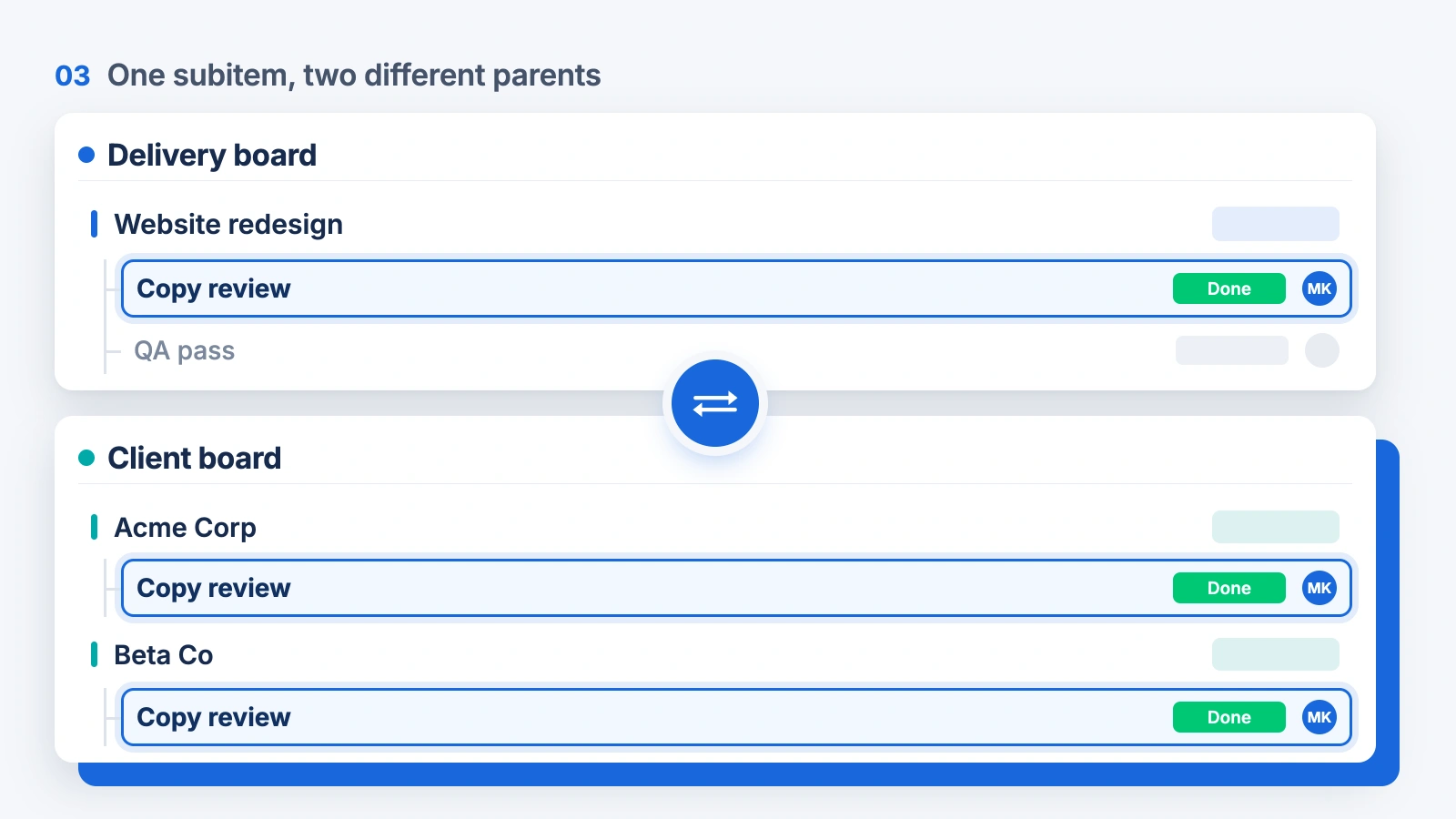
Put one subitem under two different parents
The same subitem can sit under a parent on Board A and under a completely different parent on Board B — the shared piece of work that two projects, clients or departments both track. There is no native equivalent for this at all.
- One subitem, two parent items
- Edit from either board
- Counts once against your Mirror Item plan
Updates sync on subitems
Comments and replies sync too, and each one shows which board it came from.
Permissions respected
Mirrored subitems follow board and column permissions — people only see what they already can.
Counted once
A subitem mirrored to five boards costs one item against your Mirror Item plan. Some apps count it five times.
Where it doesn’t fit: if you only need a summary roll-up on the parent (Method 1), you don’t need an app. If your whole team lives on one board, native subitems are fine. Mirror Item earns its place when different teams on different boards need to work the same subitem.
Step by step
Mirror a subitem to another board
Install Mirror Item Multiple Boards
From the monday.com marketplace. There is a free plan.
Open the subitem
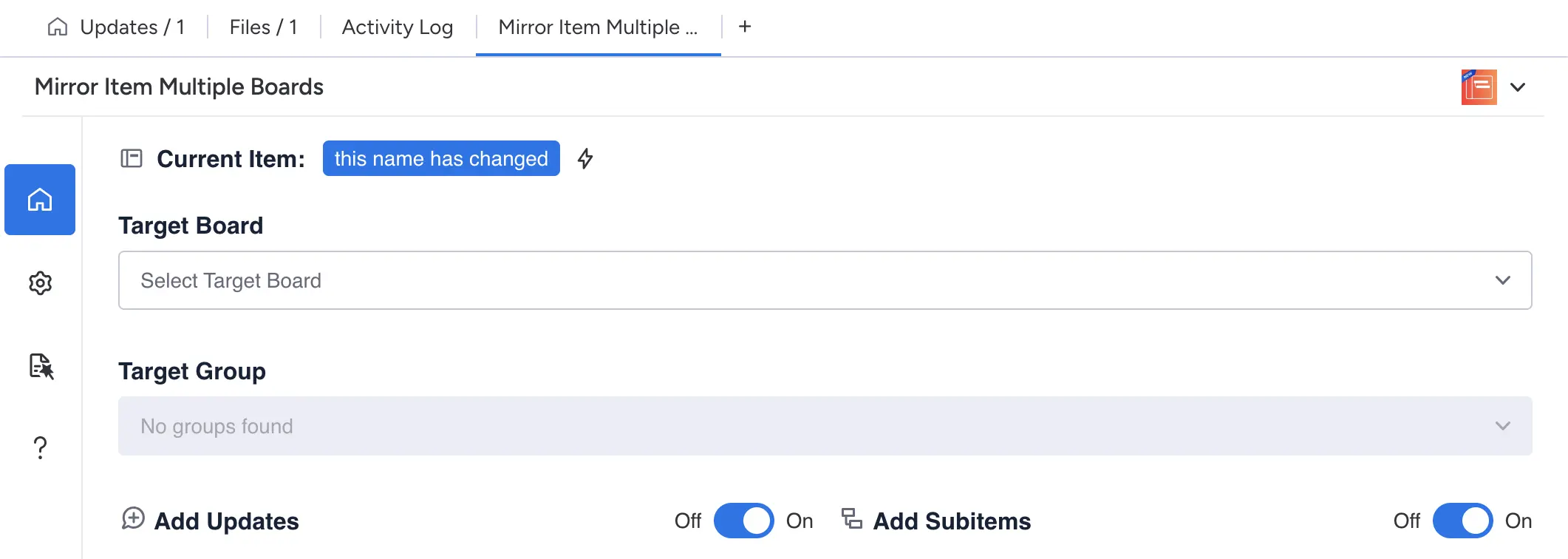
Click the Mirror Item Multiple Boards tab, next to Updates, Files and Activity Log.
Pick the target board, group and shape
A subitem under a parent there, or a top-level item. Toggle Add Updates and Add Subitems as needed.
Click Add
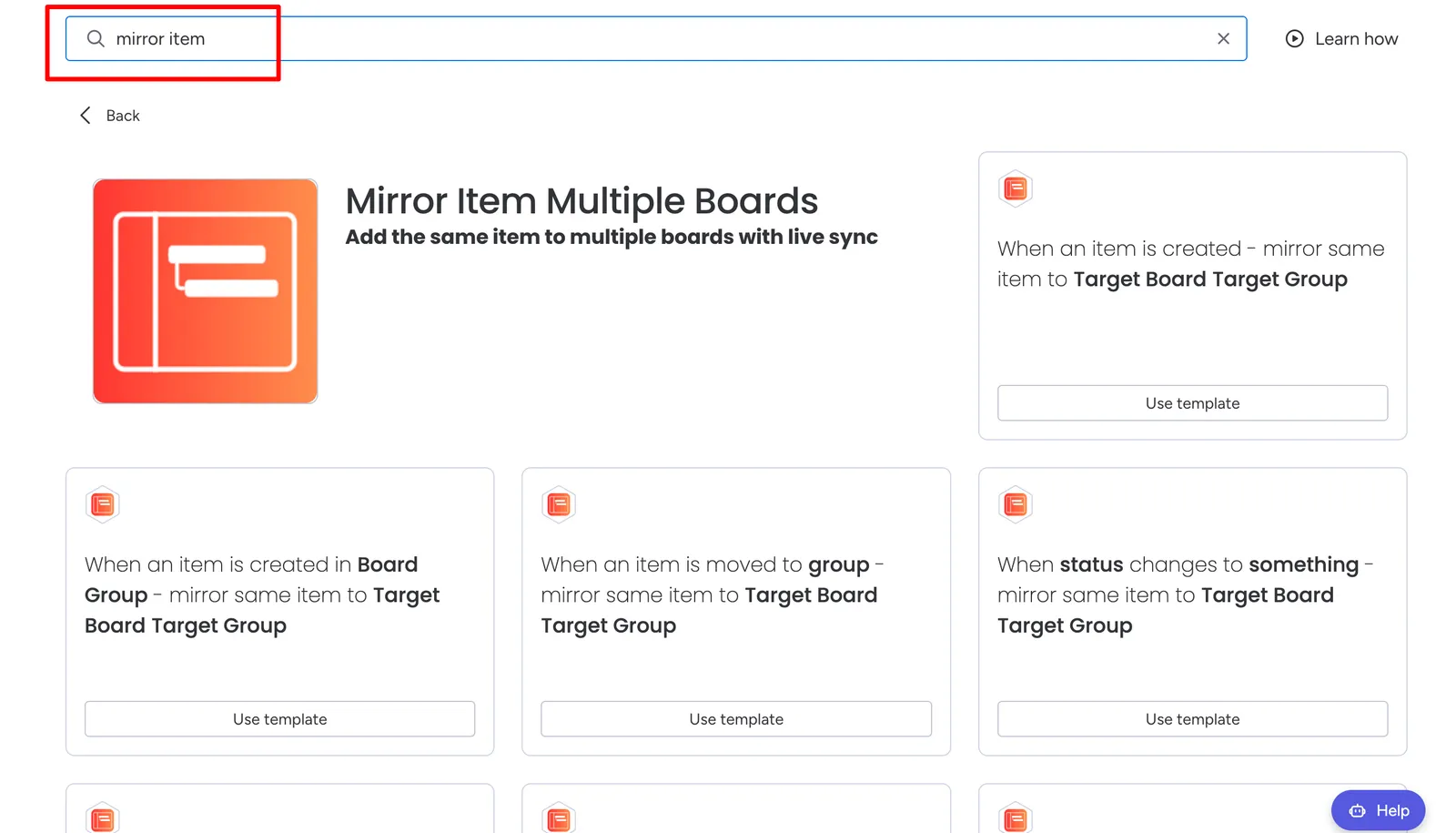
It now exists on both boards. Shared columns, updates and files sync both ways. Or automate it: "When a subitem is created → mirror it to Target Board · Target Group."
Try it on your own subitems
Free plan · Editor’s Choice · 5.0 ★ on the monday.com marketplace. Mirror one subitem to a second board and edit it from there — it takes about a minute.
Can you mirror subitems in monday.com?+
Can subitems have mirror columns?+
Can I mirror a subitem to another board?+
Can a subitem live under two parent items?+
Do updates and comments sync on mirrored subitems?+
Does mirroring subitems use more of my item quota?+
Will mirrored subitems respect board permissions?+
About the author
Arnav Ghatage · Founder, Fortimus
I build monday.com apps full time. Mirror Item Multiple Boards is Editor’s Choice on the marketplace with 1,100+ installs, and subitem syncing is the feature customers ask us about most — everything on this page comes from building it and from the support conversations around it. Support is founder-led, so if something here doesn’t match what you see on your boards, you can tell me directly.
Related resources
Guide
Add the same item to multiple boards
The parent-item version of this problem, step by step.
ReadGuide
How to copy subitems in monday.com
Duplicate, move or convert subitems, and when to sync them instead.
ReadGuide
Build a master board
Roll subitems and items from many boards into one overview.
ReadBlog
Are mirror columns read-only?
The real limit is automations. What to do about it.
ReadComparison
Mirror Item vs Same Item Multiple Boards
Item vs subitem options, counting, board caps and hosting compared.
ReadGuide
Switching item-sync apps
Five things to check before you move to another sync app.
Read