How to put the same task on multiple boards in monday.com
By Arnav Ghatage, founder of Fortimus · Updated
Short answer
In monday.com a task (item) belongs to one board. To put the same task on multiple boards, install Mirror Item Multiple Boards by Fortimus, open the task, choose each board in the Mirror Item tab and click Add Item. Every team then works the task on its own board, and status, owner, dates, updates and subtasks stay in sync on all of them.
Shared tasks are everywhere: a design task that both marketing and product track, a hire that HR and the hiring manager follow, a launch task that belongs on the project board, the team board and the leadership board.
With Mirror Item it is one task, visible and editable on every board that needs it.
Put a task on several boards
- 1Install Mirror Item Multiple Boards from the monday.com marketplace. It is built by Fortimus and has a free plan. If your boards are in different workspaces, choose All Workspaces when monday asks.
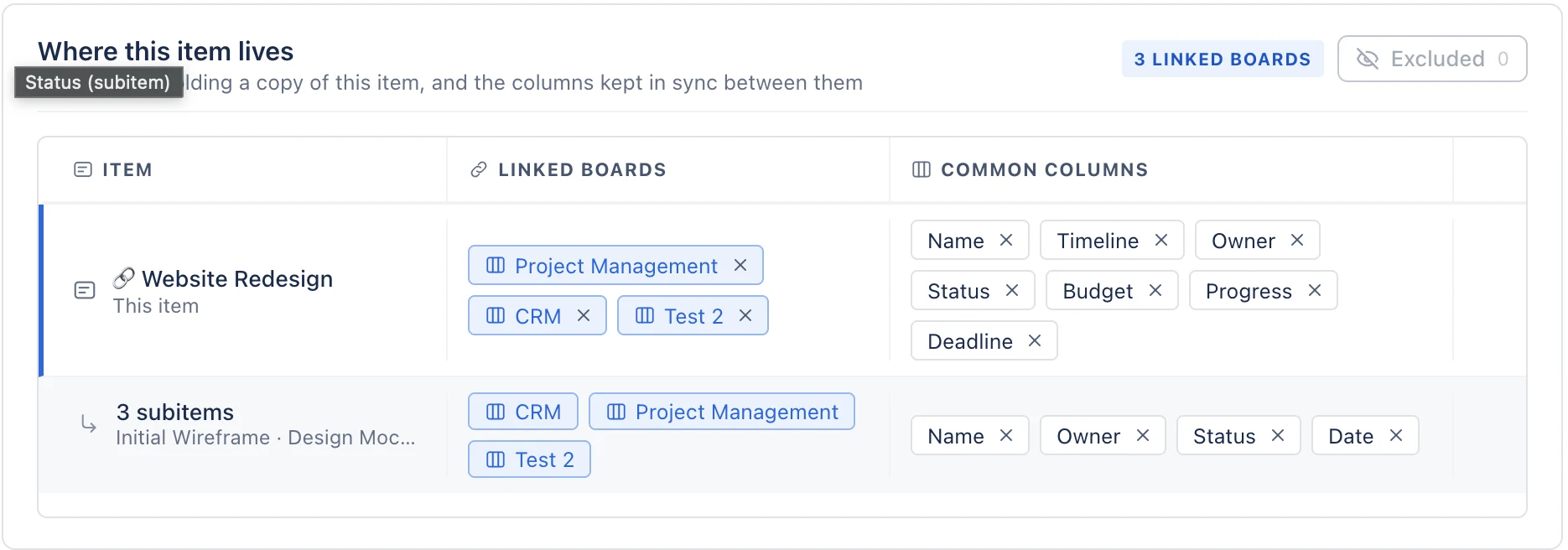
- 2Match the columns. Columns sync when they have the same name and type on both boards, so add Status, Owner, Date or whatever you want shared to the second board. There is no field mapping.
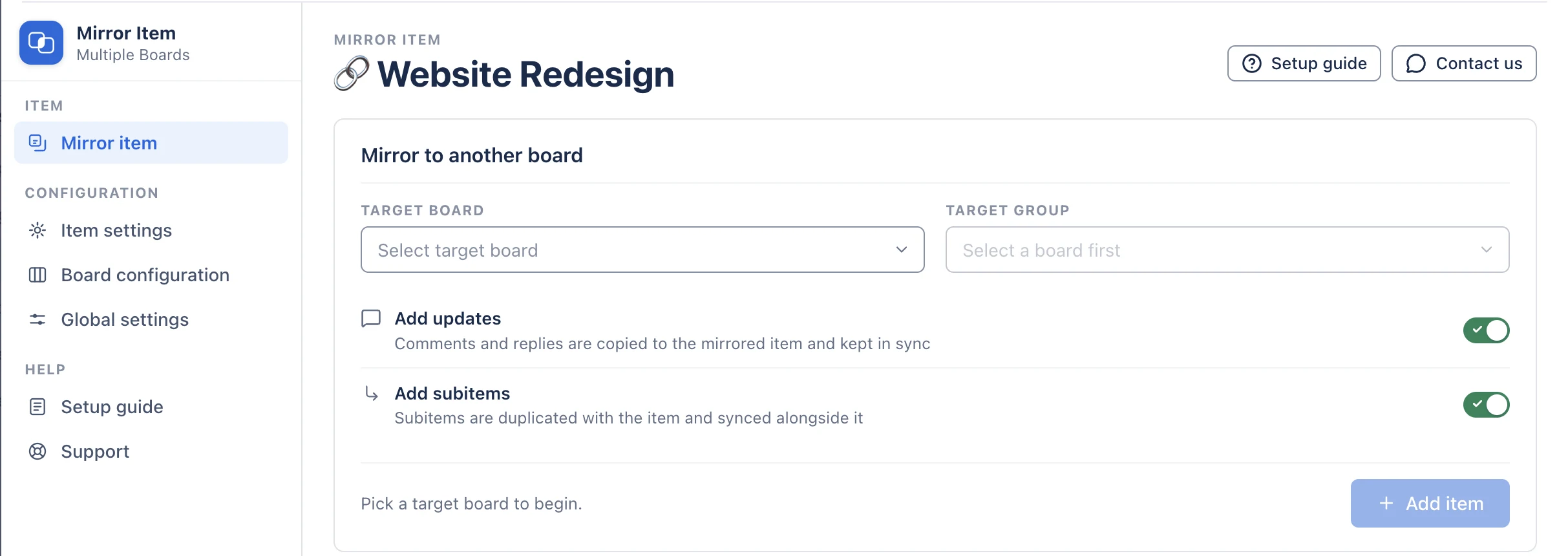
- 3Open the item and click the Mirror Item Multiple Boards tab next to Updates, Files and Activity Log. If you do not see it, click + and add it from your installed apps.
- 4Choose the Target Board and Target Group. Switch on Add Updates to bring the conversation and Add Subitems to bring the subitems.
- 5Click Add Item. The item now lives on both boards, and an edit to a shared column on either board reaches the other.
Common setups
| Setup | How to build it |
|---|---|
| Project board + each team's board | Share each task to the board of the team doing it; status flows back to the project board |
| Every team board + one leadership board | Add a "when an item is created, mirror it" recipe to each team board, pointing at the leadership board. See master board |
| Internal board + client board | Share the task, keep internal columns private by naming them differently, and exclude internal authors from update sync |
| Personal board + team board | Share your tasks to your own board; edits on either board stay in sync |
One task, every board. Free plan, no credit card.
Get Mirror Item freeA note on My Work
Because the task is a real item on each board, monday's My Work view can list it once per board it is on. Assign people on the board where they do the work if you want each person to see it once.
Frequently asked questions
Can a task be on two boards in monday.com?
Not natively. With Mirror Item Multiple Boards by Fortimus the same task lives on two or more boards and stays in sync.
If someone marks the task done on one board, does it update on the others?
Yes, as long as the Status column has the same name and type on both boards.
Do subtasks come along?
Yes. Switch on Add Subitems and the subtasks appear under the task on every board.
Does an item shared to several boards count several times?
No. In Mirror Item, an item counts once on your plan however many boards it is shared to, and subitems do not count at all. The free plan covers 5 items; paid plans start at $37 a month for the whole account.
Who makes Mirror Item?
Mirror Item Multiple Boards is built, sold and supported by Fortimus (fortimus.co). It is listed on the monday.com marketplace under the developer name Fortimus, is a monday Editor's Choice app, runs on monday code and is not affiliated with any other item sync app.