 Mirror Item
 Google Drive Integration
 PDF Docs + eSignatures
 MasterForms
 Time Tracker
 Diagrams for Jira
 Smart PDF Exporter
How to update an existing item with a monday.com form
By Arnav Ghatage, founder of Fortimus · Updated
Short answer
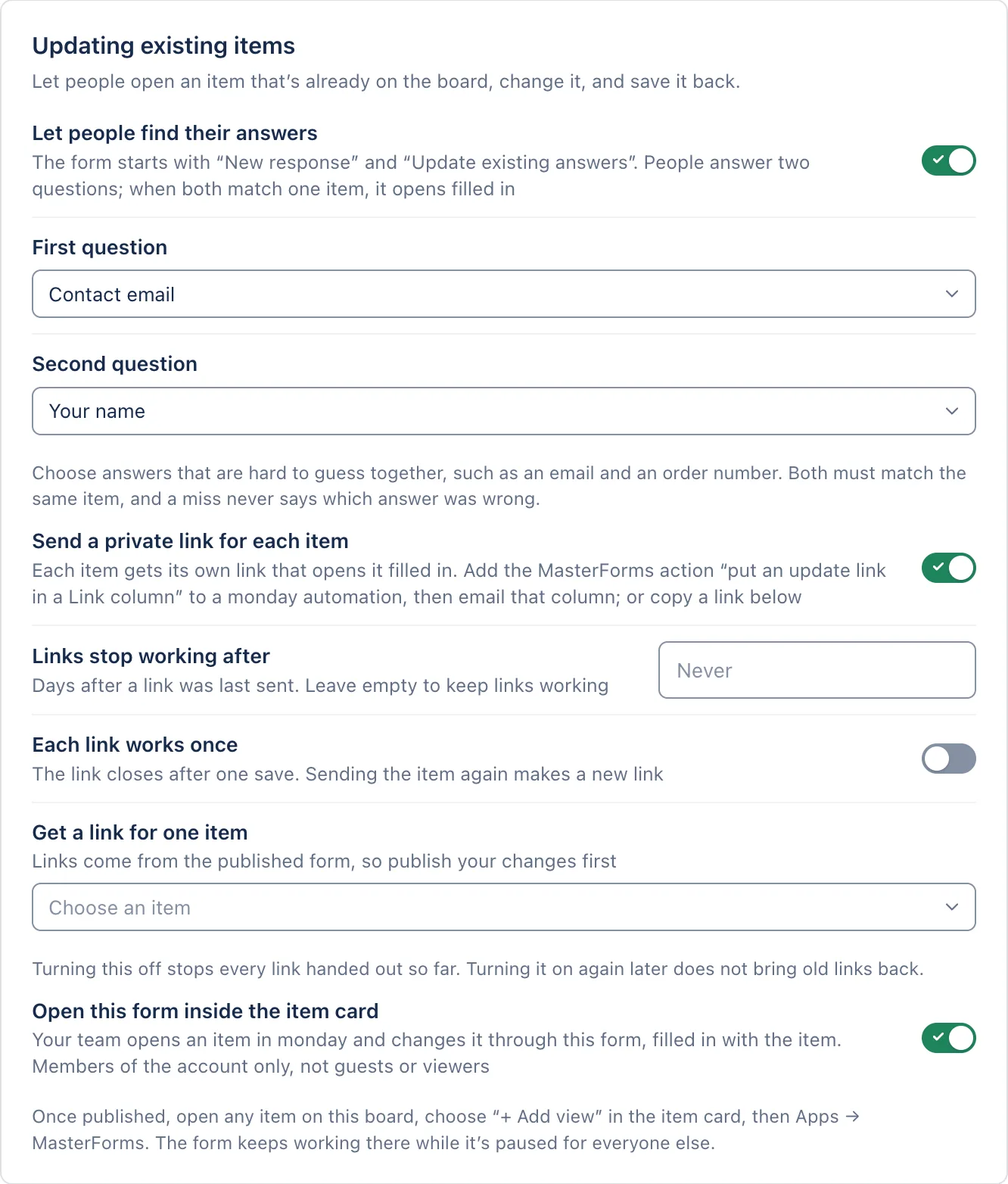
monday.com WorkForms makes a new item for each response, so it can't open an item that is already on your board. To update existing items through a form, install MasterForms by Fortimus, open Form settings → Editing → Updating existing items and turn on one of three ways: Let people find their answers (they type two answers, such as their email and order number), Send a private link for each item, or Open this form inside the item card for your team. Publish, and saving the form changes the same item instead of making a new one.
This comes up on almost every board. Customers want to change a booking. Suppliers need to confirm a delivery date. Staff need to update their details. A technician needs to finish an inspection someone else started.
In each case the item already exists. You want the person to see its current answers in a simple form, change what they need and save it back to the same item.
What monday.com WorkForms can do
- Every WorkForms submission creates a new item on the form's board. There is no setting that points the form at an item that is already there.
- Response editing gives the person who sent a response a link to edit it. It is on the Enterprise plan only. Viewers, guests and people outside your account get up to 10 edits per submission, and Signature and Connect Boards answers can't be edited.
- The edit link belongs to a response. An item added on the board, imported from a spreadsheet or made by an automation has no response behind it, so there is nothing to edit.
So WorkForms can fix a response it received, on Enterprise. It can't let someone open and update any other item through a form.
Note: Plan details for WorkForms come from monday.com's help center (support.monday.com), checked on 26 November 2026. monday.com can change them, so check there for your plan.
Three ways to update an item with MasterForms
| Way | Best for | How people open the item |
|---|---|---|
| Let people find their answers | Customers who know two details, like an email and an order number | They choose Update existing answers, type both answers and press Find my answers |
| Send a private link for each item | Anyone you send a link to: suppliers, clients, staff | Their own link opens the item filled in. Links can stop working after 1 to 365 days, or after one save |
| Open this form inside the item card | Your own team, inside monday.com | They open the item, choose MasterForms, then Team forms, and press Save changes |
Set it up step by step
- 1Install MasterForms from the monday.com marketplace, where it is listed as MasterForms AI: Advanced Forms. On your board, click + next to the views, choose Apps, then MasterForms, and press Connect to monday once.
- 2Build the form from the columns people should be able to change. Each column you tick becomes a question. Only the questions on the form are saved, so the item's other columns stay as they are.
- 3Turn on a way to update: in Form settings → Editing → Updating existing items, turn on Let people find their answers and choose the two questions (both must be short-answer questions on the form), or Send a private link for each item, or Open this form inside the item card.
- 4Publish. With find-your-answers on, the form now starts with two buttons: New response and Update existing answers.
- 5Send the links, if you chose private links: add a monday automation with the MasterForms action put an update link in a Link column, then email the link from that column.
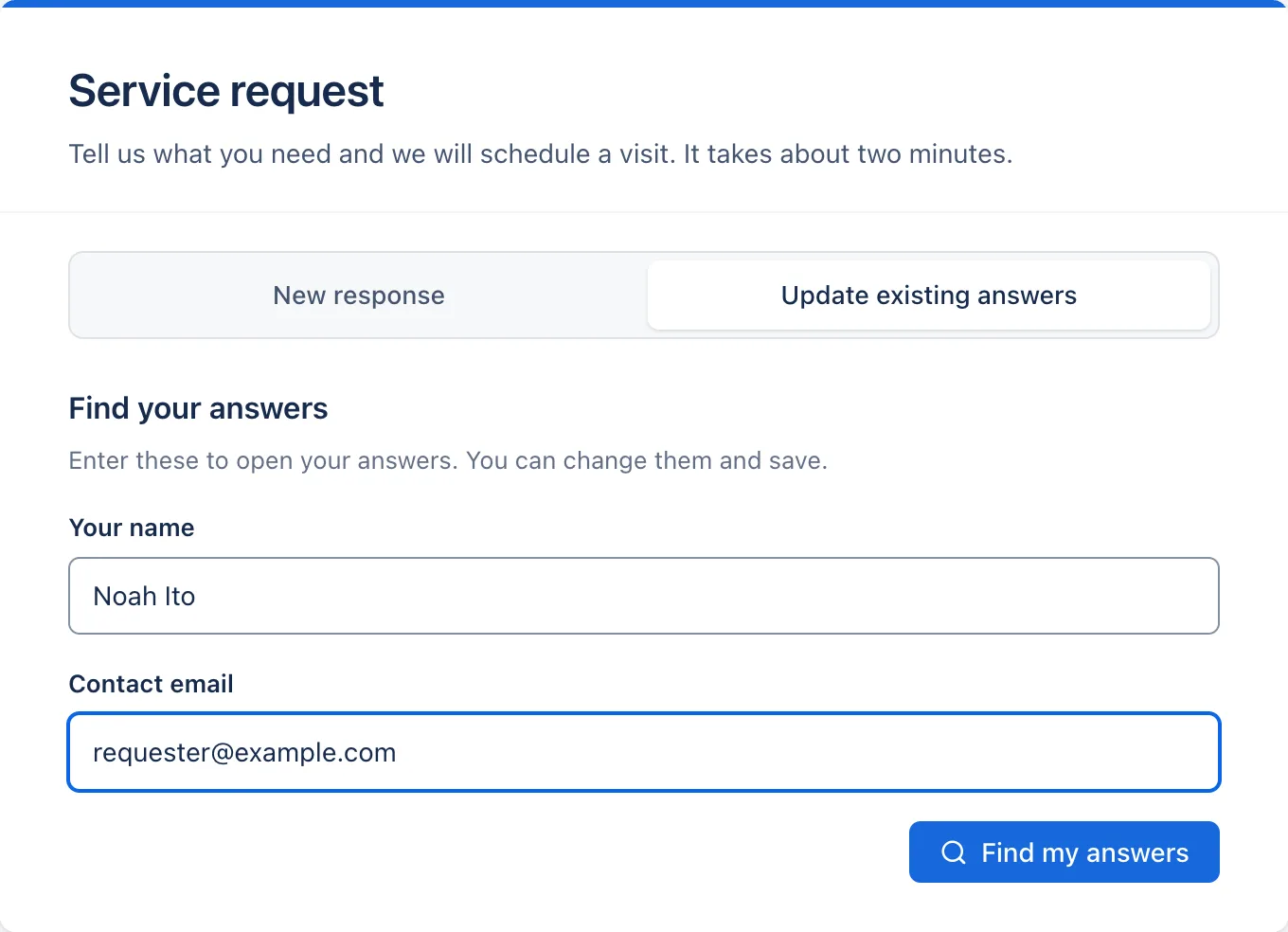
Tip: Choose two answers that are hard to guess together, such as an email and an order number. A failed search never says which answer was wrong, and too many tries are blocked for a few minutes.
Collect updates from everyone on a board
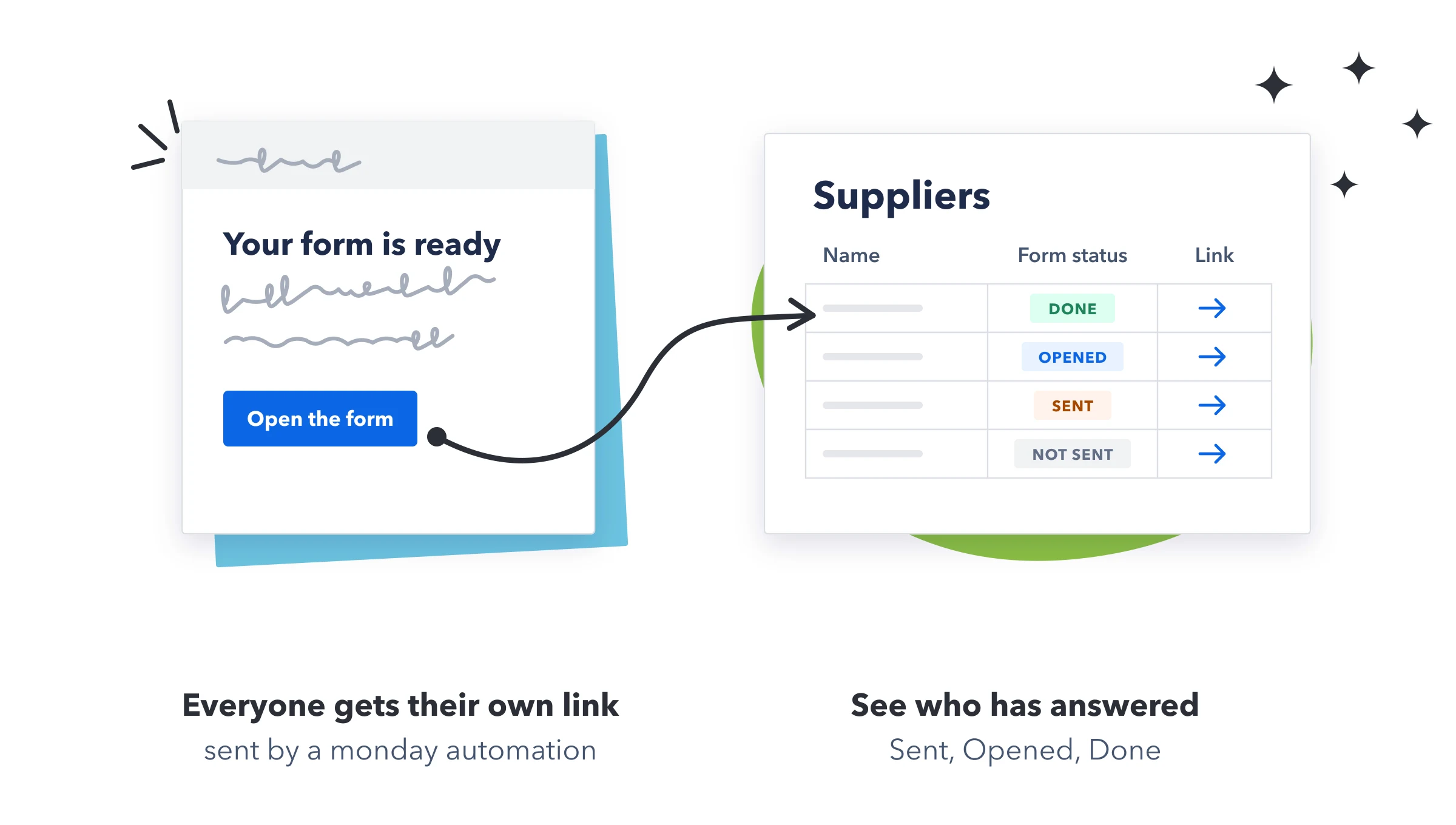
When each item is someone you need something from, like a supplier sending certificates or staff confirming their details, MasterForms can put each person's private link on their own item and show who has answered. Choose a Form status column (Not sent, Sent, Opened, Done) and a Link column, press Put links on N items, and send the links with a monday automation such as "When Form status changes to Sent, send an email with the Form link".
Keep some answers fixed
Turn off Can be changed later on a question to keep its first answer, such as an order number, an incident date or a signature. When the item is updated, that question shows the answer it already has, greyed out and marked "Can't be changed". If it has no answer yet, it can still be answered once. Your team can still change the column on the board.
Let people update their own items, with no monday.com account.
Get MasterForms on monday.comWhich to use
| Your situation | Use |
|---|---|
| On Enterprise, and people only need to fix a response they just sent | WorkForms Response editing, or MasterForms edit links |
| Not on Enterprise, and people need to change what they sent | MasterForms edit links. See let people edit their monday.com form response |
| The item was added on the board, imported or made by an automation | MasterForms private item links, or find your answers |
| Customers should find their own booking or order | MasterForms: Let people find their answers |
| Your team updates items through the same form, inside monday.com | MasterForms: Open this form inside the item card |
Every setting is explained in Update existing items in the MasterForms help center.
Frequently asked questions
Can a monday.com form update an existing item?
Not with WorkForms. Each submission creates a new item, and Response editing (Enterprise only) only reopens a response the form received. With MasterForms by Fortimus, a form can open an item that is already on the board, show its current answers and save the changes back to the same item.
How do I update an existing item in monday.com with a form without Enterprise?
Use MasterForms. Updating items is part of the app, not WorkForms' Enterprise-only Response editing. Turn on Let people find their answers or Send a private link for each item in Form settings → Editing, and publish.
Can customers update their own order or booking through a form?
Yes. Turn on Let people find their answers with, for example, Email and Booking number. Customers choose Update existing answers, type both, and their item opens filled in.
Does updating through the form create a new item?
No. Saving changes the same item. Only the questions on the form are saved, and the item's other columns are left alone.
Can I send each item its own update link automatically?
Yes. Add a monday automation, such as "When Status changes to Confirmed", with the MasterForms action put an update link in a Link column. Then email the link from that column.
Do people need a monday.com account to update an item?
Not with find your answers or private links. Only the item card option is for members of your account (not guests or viewers).
Who makes MasterForms?
MasterForms is built, sold and supported by Fortimus (fortimus.co). It is listed on the monday.com marketplace as MasterForms AI: Advanced Forms. Its optional AI features, such as building a form from a description, translating it and sorting responses, use Claude Haiku by Anthropic.