 Mirror Item
 Google Drive Integration
 PDF Docs + eSignatures
 MasterForms
 Time Tracker
 Diagrams for Jira
 Smart PDF Exporter
How to let people edit their monday.com form response
By Arnav Ghatage, founder of Fortimus · Updated
Short answer
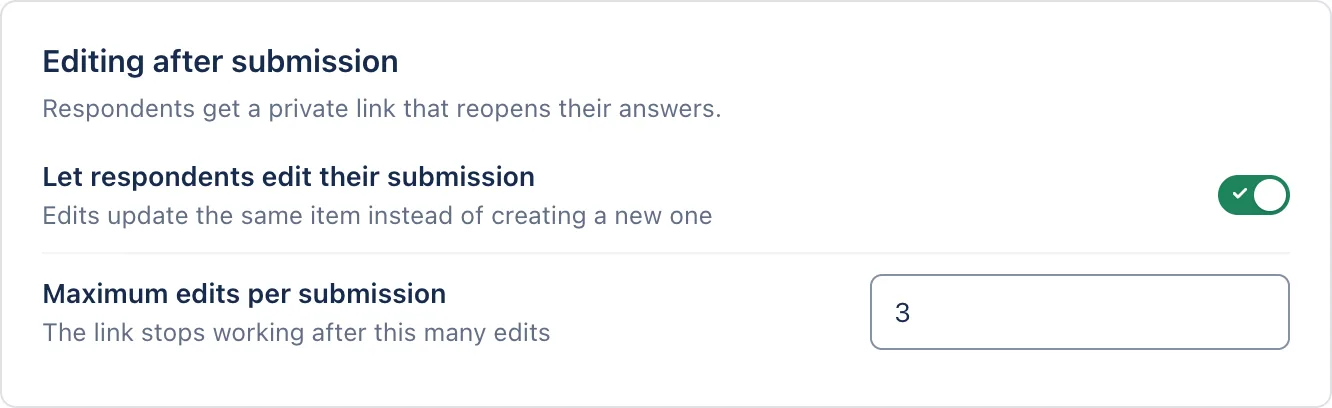
In monday.com WorkForms, response editing is on the Enterprise plan only. Viewers, guests and people outside your account get up to 10 edits per submission, and Signature and Connect Boards answers can't be edited. With MasterForms by Fortimus, open Form settings → Editing, turn on Let respondents edit their submission and publish. After sending, people get a private link that reopens their answers, and saving updates the same item. Set Maximum edits per submission, or leave it empty for no limit.
People make typos, change their plans and remember things after they press Submit. Without a way to edit, they send the form again, and your board gets a second item for the same request.
How WorkForms response editing works
- It is on the Enterprise plan only, and Response viewing must be on.
- Turning it on adds a Link column with each response's edit link. You share the link by copying it or with an automation.
- Viewers, guests and people outside your account can make up to 10 edits per submission.
- Signature and Connect Boards answers can't be edited. Files and subitems can be added to, but not deleted.
Note: Plan details for WorkForms come from monday.com's help center (support.monday.com), checked on 26 November 2026. monday.com can change them, so check there for your plan.
Give every respondent an edit link
- 1Install MasterForms from the monday.com marketplace, where it is listed as MasterForms AI: Advanced Forms. On your board, click + next to the views, choose Apps, then MasterForms, and press Connect to monday once.
- 2Turn on editing: in Form settings → Editing, under Editing after submission, turn on Let respondents edit their submission.
- 3Set a limit if you want one: Maximum edits per submission stops the link after that many edits. Leave it empty for no limit.
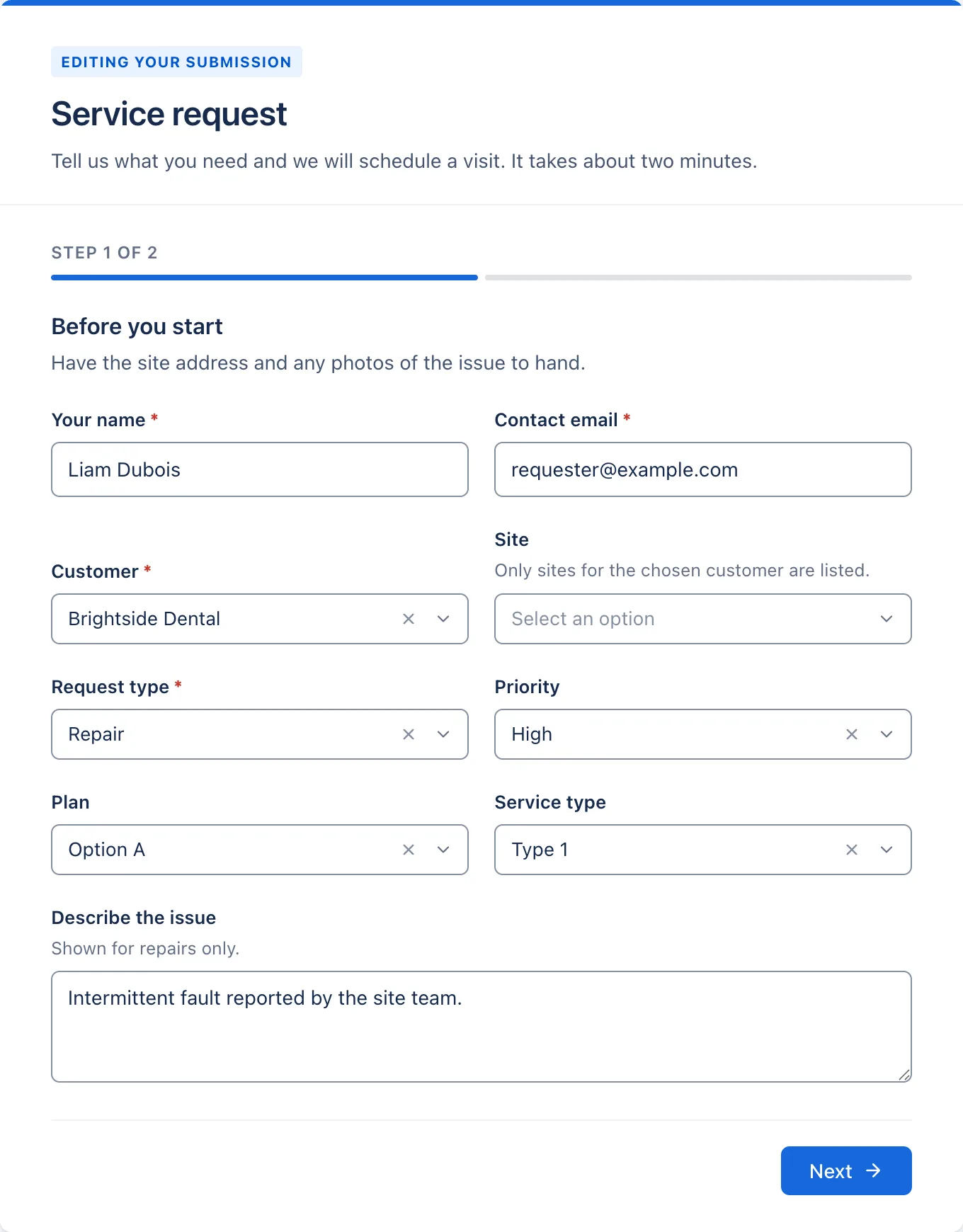
- 4Publish. After sending, people see "Need to change something later?" with their private link. It reopens their answers, marked "Editing your submission".
- 5Put the link on the item (optional): add the automation When a form is submitted with the MasterForms action that puts the edit link in a Link column, so your team can send it again.
Choose what can change
- Lock some answers: turn off Can be changed later on a question, such as an incident date or order number. On an edit, it shows greyed out and marked "Can't be changed".
- Signatures: on an edit link, the signature box says "Leave empty to keep the signature already on file", so people can sign again or keep the first signature. Turn off Can be changed later to keep the first one.
- Subitems: under When a response is edited, choose whether people can add, change or remove subitems.
- Email the link: include Their private edit link in the confirmation email.
What happens after an edit
- The same item is updated. No new item is made.
- The filled PDF, if you use one, is made again so it matches.
- Emails, AI sorting, approvals and the "When a form is submitted" trigger don't run again.
- Each edit is counted on the Dashboard and in Responses, and the item card shows how many times the response was edited.
Save and finish later
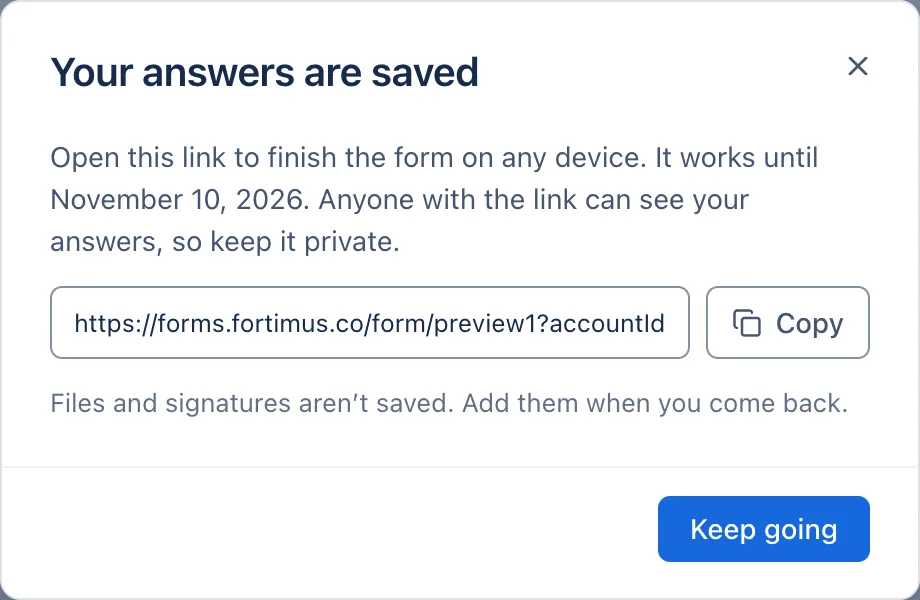
Some people need to stop halfway rather than edit afterwards. WorkForms has Save as draft. In MasterForms, turn on Let people save and finish later: the form gets a Save and finish later button with a private link that brings the answers back on any device for 30 days. In both, files and signatures aren't kept, so people add them when they come back.
Stop duplicates instead
If people send the form twice instead of editing, turn on One response per person under Form settings → General → Availability. Recognise people by an answer such as their email, and choose to refuse a second response, add it to the first response as an update, or replace the first answers.
Give every respondent a link to fix their answers.
Get MasterForms on monday.comWhich to use
| Your situation | Use |
|---|---|
| On Enterprise, and 10 edits with no signature changes are enough | WorkForms response editing |
| Not on Enterprise | MasterForms edit links |
| More than 10 edits, or a new signature on an edit | MasterForms edit links |
| People should change an item the form didn't create | MasterForms private item links. See update an existing item |
Every setting is in Let people change their answers in the MasterForms help center.
Frequently asked questions
Can you edit a monday.com form after submitting?
In WorkForms, only on the Enterprise plan, through Response editing. With MasterForms by Fortimus, turn on Let respondents edit their submission and every respondent gets a private edit link.
How do I edit a form response in monday.com without Enterprise?
Use MasterForms. In Form settings → Editing, turn on Let respondents edit their submission and publish. People get an edit link after sending, and saving updates the same item.
How many times can a monday.com form response be edited?
In WorkForms, viewers, guests and people outside your account get up to 10 edits per submission. In MasterForms you set Maximum edits per submission yourself, or leave it empty for no limit.
Can people change their signature when they edit?
WorkForms response editing doesn't support Signature questions. In MasterForms, people can sign again on an edit link, or leave the box empty to keep the signature already on file.
Does editing a response create a new item?
No. Saving through an edit link updates the same item.
Where do I find a respondent's edit link?
In MasterForms, open the item and choose MasterForms in the item card: the Response tab has Copy their edit link. Or put it in a Link column with the edit link automation action.
Who makes MasterForms?
MasterForms is built, sold and supported by Fortimus (fortimus.co). It is listed on the monday.com marketplace as MasterForms AI: Advanced Forms. Its optional AI features, such as building a form from a description, translating it and sorting responses, use Claude Haiku by Anthropic.