A GetSign alternative without signature limits
By Arnav Ghatage, founder of Fortimus · Updated
Short answer
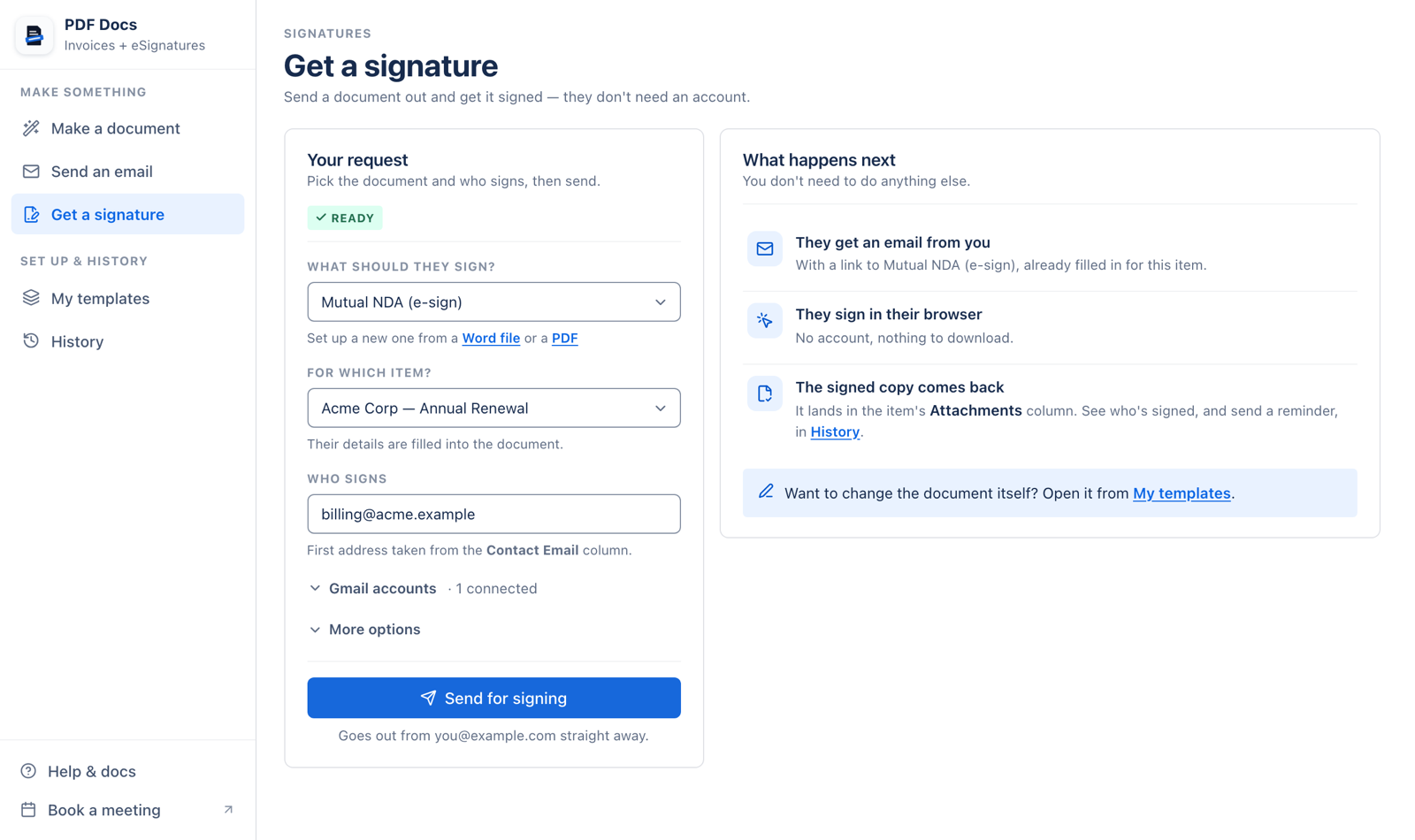
PDF Docs makes documents from monday.com items and collects eSignatures, like GetSign, but does not count signatures separately: requests sent from the app do not use your plan. Documents and signature emails go out from your own Gmail, templates are plain Word files, and files can be saved to Google Drive automatically.
GetSign is a capable app. The usual reasons teams look elsewhere are practical ones: the signature allowance runs out before the document allowance, they want emails to come from their own address, or they would rather keep editing contracts in Word. If any of those sound familiar, read on.
What changes with PDF Docs
- No signature allowance. Your plan counts documents made. Signature requests sent from the app do not count.
- Your Gmail, your replies. Signature requests and documents are sent from the Gmail account you connect.
- Templates in Word. Write the contract in Word, paste fields like
{{Item.Client}}, and add{{Signature1}},{{Signature2}}for each signer. - Five documents with no setup. Invoice or quote, NDA, event ticket, item summary and board report.
- Saved where you need it. On the item, in Google Drive, or both, by automation.
- Hosted on monday Code. Board data is processed inside monday.com.
Install it alongside GetSign and send yourself a test contract.
Add PDF Docs to monday.comHow to switch from GetSign
- 1Install PDF Docs and add its view to the board you send contracts from. Press Connect to monday once.
- 2Connect Gmail on Send an email or Get a signature. Everyone on your account can then send from it.
- 3Export your contract to Word if it lives in another editor, then replace each placeholder with a field from Fields for this board.
- 4Add signature fields:
{{Signature}}and{{Date}}for one signer, or numbered fields for several. Keep them in the main text, not a header or footer. - 5Send a test to your own address. Check the signed PDF and signing record land on the item.
- 6Recreate the automation with the Send a contract for signature recipe, then turn off the old one.
Note: The signature recipe needs one Email column per signer, matching the number of signers in the template.
When GetSign is the better choice
If signers must fill in form fields, verify with a one-time code or pay by card as they sign, GetSign does that and PDF Docs does not. The same goes if your team wants to build documents in an editor inside monday.com instead of Word.
For the full table, see PDF Docs vs GetSign.
Frequently asked questions
What is the best GetSign alternative?
If signature limits or sending from your own email are the problem, PDF Docs solves both. If you mainly want more document design features, look at DocExport too.
Is there a limit on signers per document in PDF Docs?
In a Word signature template, number the fields for each person: {{Signature1}}, {{Signature2}} and so on. In a PDF template you can place up to 5 signature boxes.
Do signing links expire?
No. Signing links do not expire. Use Remind in History to send the link again to anyone who has not signed.
Where is the signed copy saved?
On the item, in the file column you choose (the Files column by default), together with a signing record.
GetSign is a product of Jetpack Apps and is not affiliated with Fortimus. Details about other apps come from their public websites and marketplace listings as of October 2026 and may change. Spotted something out of date? Email support@fortimus.co and we will correct it.