How to create invoices and quotes in monday.com
By Arnav Ghatage, founder of Fortimus · Updated
Short answer
Keep the customer on the item and each line on a subitem, then choose Invoice or quote in PDF Docs and press Make PDF. The customer's details come from the item's columns, every subitem becomes a line, and the totals come from your Formula columns. Email it from your Gmail or send it for signature in the same place.
If your deals or jobs already live on a monday.com board, the quote is mostly typed already: the client, the address, the products, the prices. Copying them into a word processor is where mistakes and delays creep in.
This guide shows a board layout that works for quotes and invoices, how to make the PDF, and how to send it.
Set up the board: one item per quote, one subitem per line
The ready-made Invoice or quote document looks for columns by name (capitals do not matter). Add these to your board, or rename the ones you have:
| Item column | What goes in it |
|---|---|
| Customer Name | The client's name |
| Customer Street, Customer Zip Code, Customer City, Customer Country | The client's address |
| Customer Contact | The person you are writing to (optional) |
| Customer Phone, Customer Email | Phone and email |
| Quote ID | The quote or invoice number |
| Introductory text | The opening paragraph (optional) |
| Total net | The total before tax |
| Total Tax | The tax rate, for example 19 for 19% (optional) |
| Total amount | The total to pay (optional) |
Each subitem becomes one line. Give your subitems these columns:
| Subitem column | What goes in it |
|---|---|
| SKU | Product code |
| Product | What you are selling |
| Qty | How many |
| Unit | Hour, day, piece and so on |
| Unit Price | Price of one |
| Subtotal | The line total |
Important: The invoice prints numbers exactly as they are on your board and does not add anything up. Use Formula columns for Subtotal, Total net and Total amount so the maths is always right.
Tip: Column names do not match? No need to rename. When you make the document, press Fill them in and pick a column for each field.
Make the quote or invoice
- 1Install PDF Docs, Invoices + eSignatures from the monday.com marketplace.
- 2Add the view to your board: click + next to the board's views, choose Apps, then PDF Docs, Invoices + eSignatures.
- 3Connect once: the first time it opens, press Connect to monday and approve. Everyone on your account can then use it.
- 4In Make a document, choose Invoice or quote and the deal or job item.
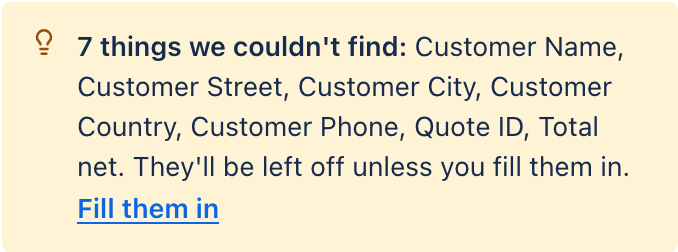
- 5Check the fields. Anything the app cannot match is listed; press Fill them in or leave it off.
- 6Press Make PDF. The quote is saved on the item.
Send it to the client
Press Email it under the preview. The email opens with the PDF attached and the client's address from the item's Email column. It goes from your own Gmail, so replies come straight back to you. Save the wording as a template, with fields like {{Item.Customer_Name}}, and next time it fills itself in.
Need the client to accept the quote in writing? Turn it into a signature template and send it for signature. The signed copy comes back to the item.
Use your own branded invoice
Press Get the template on a finished quote to download the Word file behind it. Add your logo, colours and payment terms in Word, then upload it under My own Word file. The subitem table uses {{#subitems}} and {{/subitems}} markers so it grows with each line. Details are in the Word template guide.
Send invoices automatically
Use the recipe Create a PDF and email it to the Email column: when the status changes to Invoice, the app makes the invoice and emails it to the client. Try it on one item first.
Send your next quote straight from the deal.
Add PDF Docs to monday.comFrequently asked questions
Can monday.com create invoices?
Not as a PDF document on its own. A document app such as PDF Docs makes an invoice or quote from an item, with one line per subitem and totals from your columns.
Does the invoice calculate totals?
No. It prints numbers as they are on the board, so use Formula columns for line totals and the grand total.
Can I add my logo?
Yes. Download the Word template behind the invoice with Get the template, add your logo in Word and upload it as your own template.
Can the client sign the quote?
Yes. Save the quote as a signature template with a {{Signature}} field and send it for signing. The signed PDF and a signing record are saved on the item.
Does it connect to accounting software?
PDF Docs makes and sends the document. It does not post invoices to accounting software.