How to send monday.com form submissions to multiple boards
By Arnav Ghatage, founder of Fortimus · Updated
Short answer
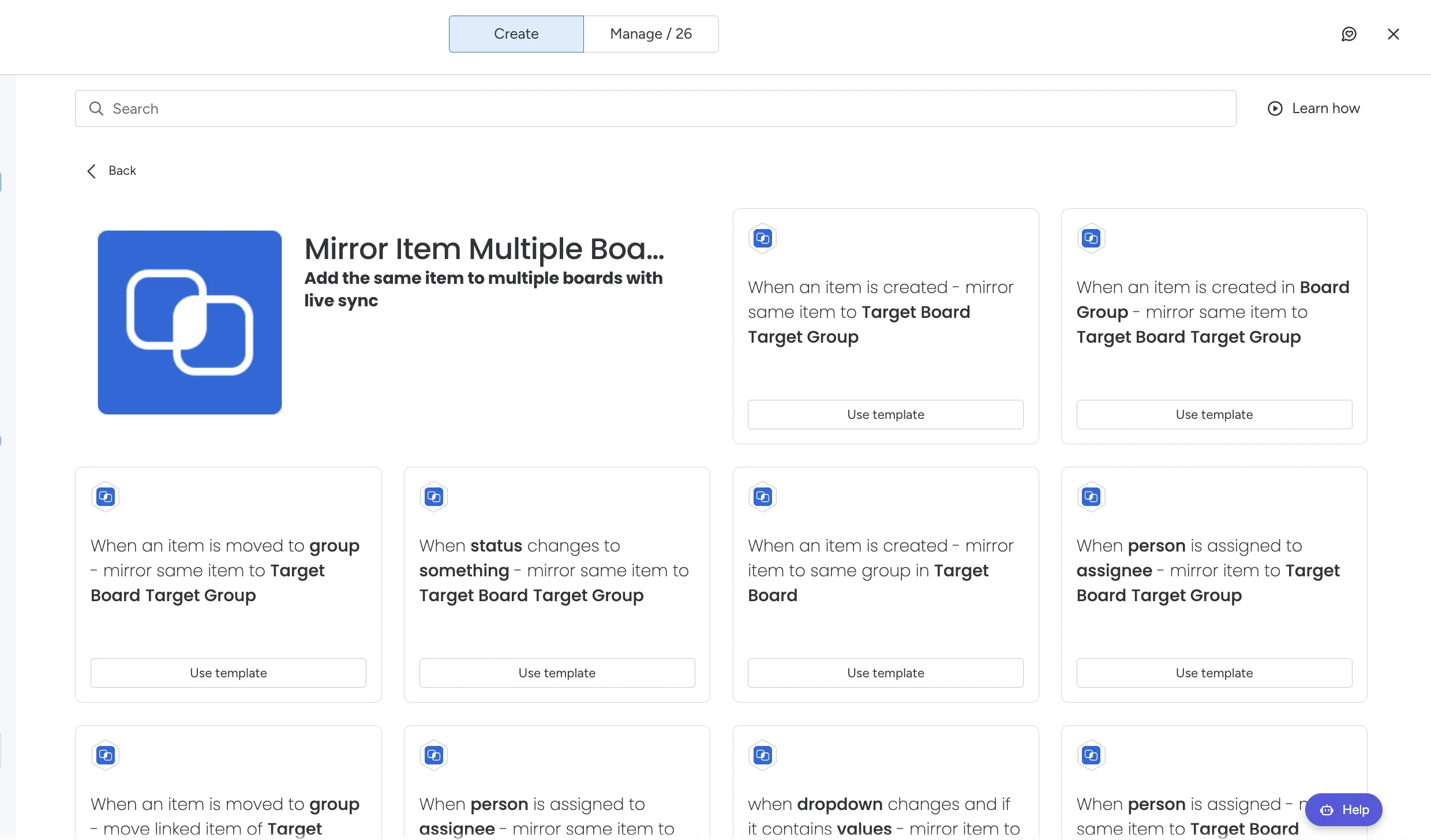
A monday.com form always creates its item on one board. To get each submission onto other boards and keep it current, install Mirror Item Multiple Boards by Fortimus and add a recipe on the form's board, such as "When an item is created, mirror same item to Target Board Target Group" or "When a dropdown contains a value, mirror the item to a target board". Each submission then has a linked item on every team board you choose, with columns, updates and subitems in sync.
Requests, applications, orders and support tickets usually come in through one form. The intake board keeps the record, and one or more teams need the same submission on their own board to work on it.
Copying the submission with a "create an item on another board" automation looks like it works, until the team changes the status on their copy and the intake board still says New. The general setup is in the same item on multiple boards guide; this page covers routing form submissions.
Your options for routing form submissions
| Approach | What happens | Problem |
|---|---|---|
| One form per board | Each team gets its own form | People pick the wrong form, and there is no single list of everything submitted |
| "Create an item in another board" automation | An unlinked copy is made on the team board | The copy and the original drift apart from the first edit |
| Connect Boards and Mirror columns | The team board shows some values from the submission | The team sees values, but the updates, files and subitems stay on the intake board |
| Mirror Item recipe | A linked item on the team board | None. Status, owner, notes and files stay the same on every board |
Route every submission, step by step
- 1Install Mirror Item Multiple Boards from the monday.com marketplace. It has a free plan.
- 2Add the columns each team needs to its board, with the same names and types as on the intake board. Only matching columns sync, so you choose what each team sees. A field that should stay on the intake board simply is not added, or gets a different name.
- 3Open the Automation Center on the intake board, search for mirror item and pick a recipe. To send every submission to one board, use When an item is created, mirror same item to Target Board Target Group.
- 4To route by answer, for example Department = Marketing, use When a dropdown contains a value, mirror the item to a target board, or When a status changes to something. Add one recipe per team.
- 5Submit a test response. It appears on the intake board and on the right team board, and an edit on either board shows on the other.
Tip: A submission routed to three team boards still counts as one item on your Mirror Item plan.
What teams can do once the submission is on their board
- Work in their own groups and views. The item can sit in "This week" on the team board and in "Received" on the intake board, as long as the group names differ.
- Talk in one thread. Updates and replies sync on every board the submission is on, so the requester's details and the team's questions stay together.
- Break it down. Subitems added by the team show on the intake board too, when Add Subitems is on.
- Keep internal fields private. Columns that exist only on one board never leave it.
Note: Permissions still apply. The person who set up the recipe needs access to every target board, including private ones.
Building richer forms, with line items as subitems, file uploads and a filled PDF for each response? Fortimus is also building MasterForms, coming soon to the monday.com marketplace. For plans and features of the routing app, see Mirror Item.
Route your next form submission to every team that needs it. Free plan, no credit card.
Get Mirror Item freeFrequently asked questions
Can a monday.com form submit to multiple boards?
Not natively. A monday.com form creates its item on the one board it belongs to. With Mirror Item, a recipe on that board adds each submission to other boards as a linked item, kept in sync.
How do I send form responses to a different board based on an answer?
Add a Mirror Item recipe on the form's board such as "When a dropdown contains a value, mirror the item to a target board", one per team. Each submission goes to the board that matches its answer.
Will the intake board update when the team changes the status?
Yes. The items are linked, so a change to a shared column on the team board shows on the intake board, and the other way round.
Can I hide some form answers from the team board?
Yes. Only columns with the same name and type on both boards sync. Leave a column off the team board, or give it a different name, and it stays on the intake board.