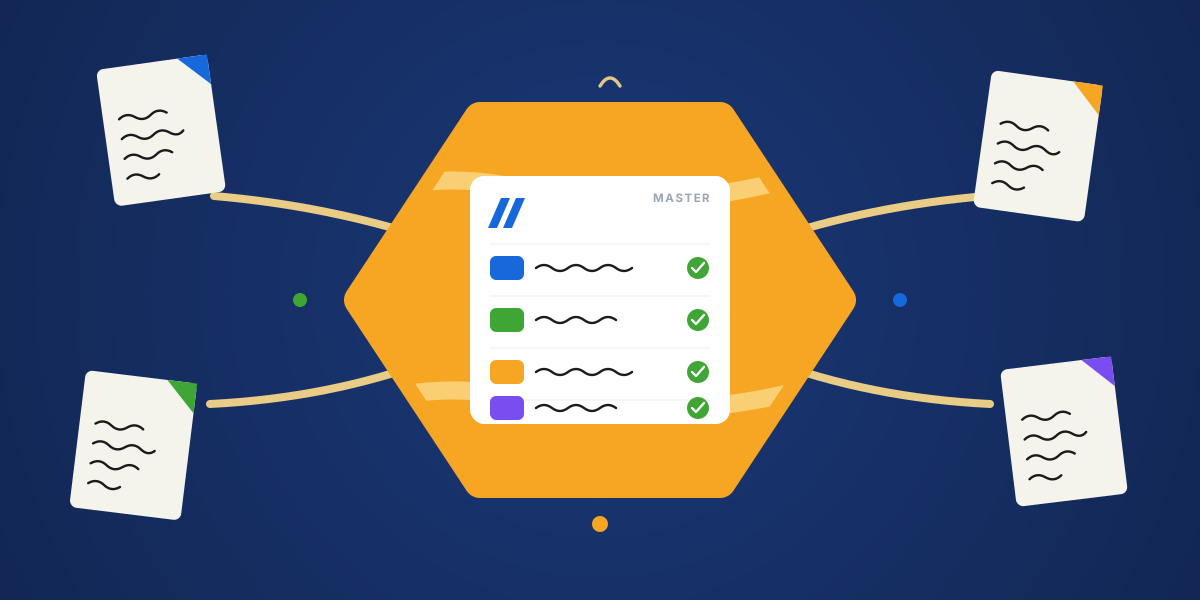
A product launch is the classic cross-functional mess. Marketing plans the campaign, design makes the assets, engineering ships the feature, and ops handles rollout. Four teams, one launch, four different boards — and a leadership team that just wants one place to see all of it.
When it works, it is a thing of beauty. When it does not, it is status meetings about status, conflicting dates, and a launch that slips because two teams were reading different versions of the truth. The answer most teams reach for is a master board. Here is how to build one that actually holds together.
Why cross-functional work gets messy on monday.com
Each team has its own board, its own language, and its own rhythm, and that is correct. Design should not have to work the way engineering does. The mess comes from the seams between teams, where the same work has to be visible in more than one place.
Left alone, those seams drift. A date moves on the engineering board but not the marketing one. Copies pile up, context gets lost, and someone always ends up asking "which board is correct?" The usual workaround — copy-pasting items and updating things twice — gets messy fast.
What a master board actually is
A "master board" is the community's word for a single board that gathers the important items from many team boards into one place. monday.com's own docs call this idea high-level and low-level boards, but the goal is the same: each team keeps its detailed board, and a master board rolls the key items up into one view.
It is not a replacement for the team boards. It is a control tower above them — the overview, not the detail.
The leadership problem: one high-level view across all teams
The request usually comes from above: each team manages its own work, but leadership needs a single place to see everything happening across projects — often without giving everyone access to every source board.
A master board solves exactly that. Leaders see status, owners, and dates across the whole effort in one place, while each team keeps working in the board they know. The overview and the detail stay in step instead of diverging.
Rolling up items from multiple boards (and where it breaks)
The native way to build this is Connect Boards plus Mirror columns: link the key items up to the master board, then mirror the values you want to see. For a read-only overview, that works.
It breaks the moment leaders want to act, not just look. Mirror columns cannot trigger automations, and they do not play nicely with formulas or forms — so the master board becomes a dashboard everyone glances at but nobody can act on. We cover that limit in detail in the mirror columns comparison.
The cleaner fix: one editable item on every board
Instead of a read-only roll-up, give the shared work exactly one source of truth, surfaced on every board that needs it. Not four copies kept in step by hand, but one item synced across boards. Mirror Item makes the shared item editable on every board, with status, updates, and replies flowing both ways.
When the launch date lives in one place and shows up everywhere, moving it once moves it for everyone. An engineer can update a shared task from their own board and leadership sees it on the master board instantly. That is the difference between a dashboard everyone ignores and a system everyone actually uses.
Alignment isn't more meetings. It's the same work, true on every board, so the meetings get shorter.
Example: running a launch across marketing, design, and engineering
Say the launch date is the one fact every team cares about. Put it on a single item, surface that item on the marketing, design, engineering, and ops boards, and roll it up to a master board for the leads.
Now when engineering slips the date by a week, they change it once on their board. Marketing's campaign timeline, design's asset deadlines, and the leadership view all move with it — no reconciling, no "wait, which date is real?", no campaign planned around a date that no longer exists.
Build a light rhythm to keep it aligned
Tools get you aligned. A light rhythm keeps you there.
- Agree which board owns each shared item, so there is always a clear place to make the change.
- Hold one short cross-team check-in, not three long ones, and run it off the master board.
- When a key date moves, change it once at the source and let it ripple out.
- Keep the shared layer small. Only the items that truly cross teams need to be synced.
Cross-functional work does not have to mean chaos. Give the shared work one home, surface it where each team already works, roll it up for leadership, and most of the friction quietly disappears.